
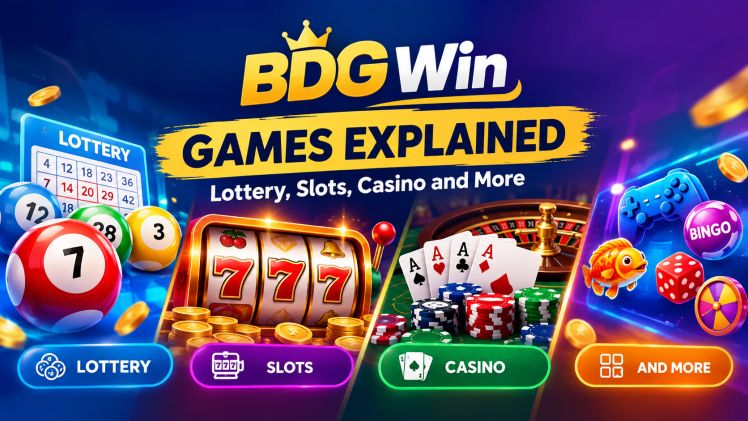
Open BDG Win on your phone and the home screen shows eight category tabs: Lottery, Original, Slots, Sports, Popular, Casino, Rummy and Fishing. This post walks through each tab in plain words, names the Lottery games with their round lengths, and then covers the two screens you pass through on the way to any game.
One line on the name first. On its own screens the platform writes BDG Game, in the page title and in the welcome line at the top of the lobby, while many players know it as BDG Win. Both names point to the same lobby. To follow along on your phone, open BDG Win in another tab and step through it while you read.
What the BDG Win game lobby looks like
The lobby is the home screen. The eight category tabs sit on it, and the tab you pick shows its games as picture tiles. On the screens read for this post, only the Lottery tab listed its games by name; the other tabs show tiles with no text under them, so check each one on the screen. Around the tiles sit a few fixed controls: a bottom bar with Home, Activity, Promotion and Account, a language selector marked EN in the header, and a Customer Service entry beside it. The platform also asks for permission to send notifications, a normal phone prompt you can allow or not.
Lottery games on BDG Win: Win Go, K3, 5D and Trx Win Go
Tap Lottery and a second row of sub-tabs appears: All, Win Go, MotoRace, Trx Win, K3 and 5D. Every game in this row is labelled with round lengths, so these are games played in timed rounds. How a round works is shown on the game’s own screen, so read it before you take part.
Win Go is the quickest option, with thirty-second rounds as well as one, three and five minute rounds. K3 and 5D both come in one, three, five and ten minute versions, and Trx Win Go, shown on the tab as Trx Win, offers the same four lengths. MotoRace shows a single one minute round. A sensible first pick is a ten minute round, which gives you time to read the screen before it closes. Aviator is named in the Activity list rather than as a Lottery tile, so check the screen for it.
Slots, Casino, Rummy, Fishing and the other BDG Win tabs
The remaining seven tabs are Original, Slots, Sports, Popular, Casino, Rummy and Fishing. The tab names are the usual labels used across gaming platforms, so you get a rough idea before you tap: Slots normally means reel games, Casino means table-style games, Rummy is the card game most Indian households already know, Fishing is the arcade style where you aim at moving fish, and Sports covers match-based play. That is a guide to the labels, not a promise about the tiles, so open each tab and check the screen.
BDG Win register: opening a BDG Win account
The register screen says you can sign up by phone number or email. The phone route shows a country picker set to +91 for India. You then set a password and confirm it; the rule printed on the screen is at least eight characters with both letters and numbers, and a mismatch warning appears if the two entries differ. There is also a box for an invitation code; the screen does not mark it as optional, so type the code you were given exactly. Tick the Privacy Agreement checkbox and press Register. The email tab’s own fields did not show on the screens read for this post, so check the screen if you prefer that route. The I have an account Login line at the bottom leads to the login screen.
BDG Win login and BDG Win password rules on the way back in
On later visits you go through the login screen, which offers a Phone Number tab and an Email / Account tab. The phone tab takes your +91 number and password; the email tab asks you to input your email and the same password. Both tabs carry a Remember password checkbox, useful on your own phone and unwise on a borrowed one. Forgot password? sits under the fields, and the header text says a forgotten password is handled by contacting customer service. The other line to know is the lock notice: enter the wrong password too many times and the account is locked until you use the Forgot password route to set a new one. A Contact customer service button sits on the same screen.
BDG Win app shortcut, Activity list and the Account tab
The home header carries a button for the platform’s app next to Customer Service, and an Add to Desktop prompt also shows on the home screen. Add to Desktop is the platform’s own wording for putting a shortcut on your phone so the lobby opens with one tap like an app icon. No store link appeared on any screen read for this post, so go by the button inside the platform.
The Activity tab lists the platform’s running programmes. On the screens seen here it named a Super Jackpot, an Invite Wheel, a Gifts section where you enter a redemption code, an attendance reward that grows with consecutive sign-in days, and a mystery random reward. Read the terms on each card. The Promotion tab asks you to log in before it shows anything about you personally. The Account tab is the fourth bottom button; its inner pages were not read for this post, so open it after login and check the screen.
Frequently asked questions
Does BDG Win mean something different from BDG Game? No. BDG Game is the wording printed on the platform’s own screens; BDG Win is what many players call it in conversation. Same lobby, same login screen.
Which BDG Win game is easiest to start with? A ten minute round of K3 or 5D under the Lottery tab. It gives you time to read the screen before the round closes.
Why can I only see game names under the Lottery tab? The other tabs use picture tiles with no text caption, so their titles could not be listed here; the tiles themselves are only visible on the screen.
Is there a BDG Win app to put on my phone? The home header shows an app button, and Add to Desktop offers a home screen shortcut. No store link appeared on the platform screens, so use the button inside the lobby.